How to Read a Floor Plan

In pre-construction, since you’re buying the home before it’s built, you’ll rely on renderings — digitally constructed previews of the interiors and exteriors — and floor plans to get a sense of your home’s layout and features. A floor plan is a bird’s-eye view diagram of the home that the builder uses for planning and construction, but as a buyer there are a few things to keep in mind when reading a floor plan.
The Basics
Floor plans are usually oriented with the front of the home at the lower end of the page. At Lindvest, our floor plans start with the lowest floor on the left of the page and the highest floor on the right.
Floor plans will often include several variations of the home’s layout. The floor plan below starts with the basement, then shows three layout options for the main floor. You’ll also see several smaller diagrams with labels under them; these are alternate options for specific parts of the home, including exterior elevations (different architectural options for the front and sides of the home) as well as options for entrances, bedrooms, storage rooms, and more.
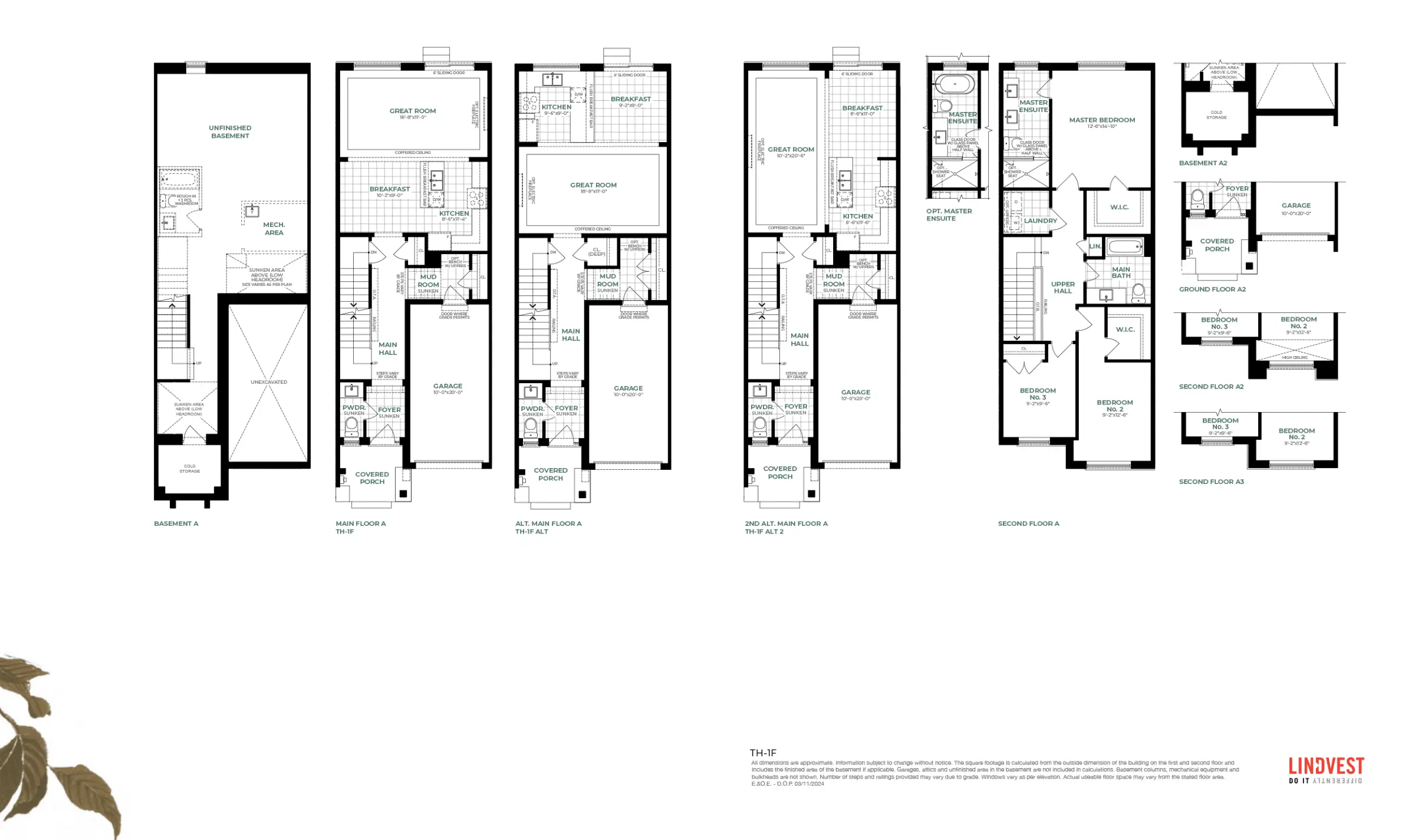
Labels & Dimensions
Floor plans will also include labels and dimensions for each room. The dimensions are measured in feet, width followed by the length.
Symbols & Icons
Floor plans include specific symbols and icons for various elements of the home.
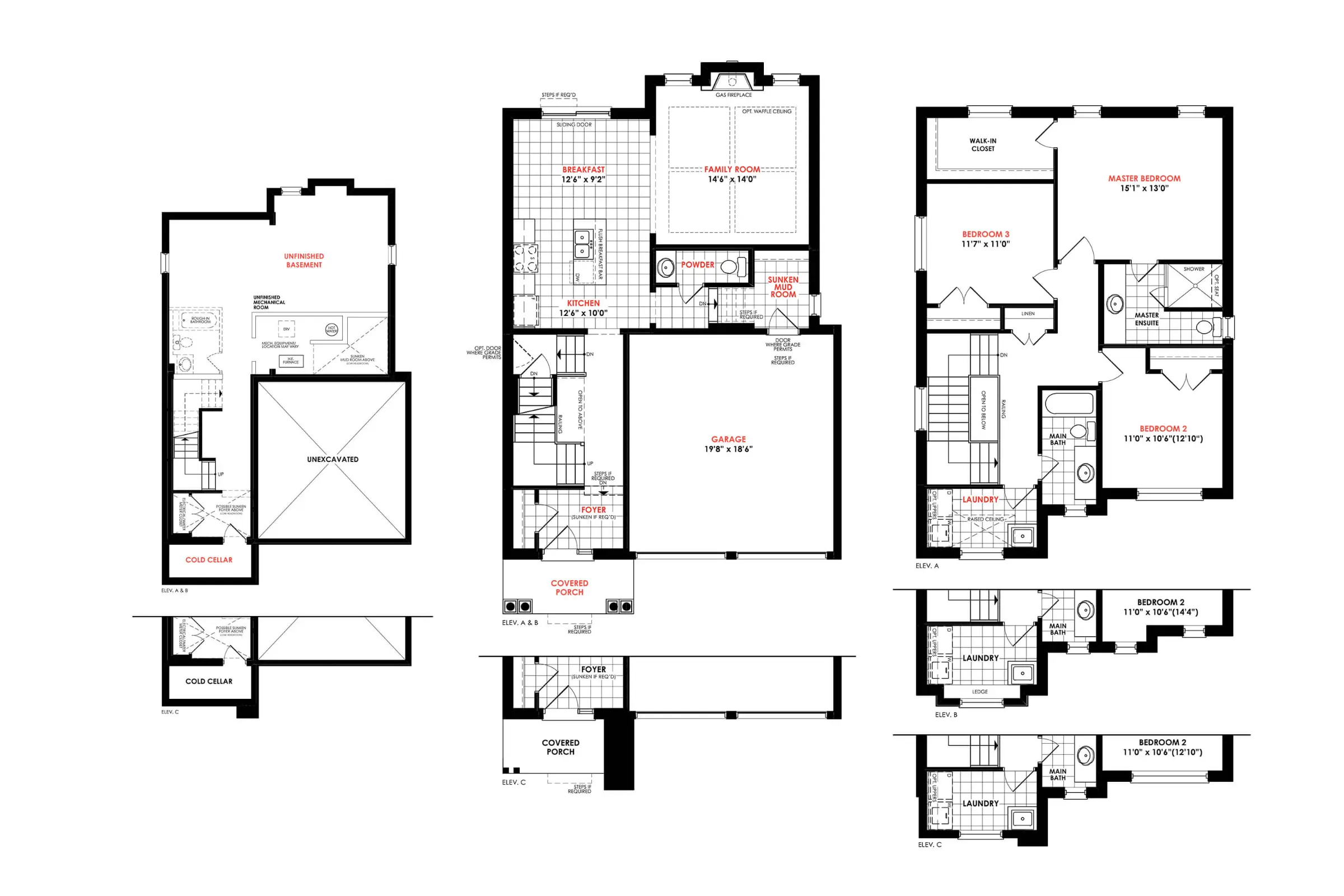
Doors: Doors are represented as angled lines, showing the curved path to indicate the direction in which the door opens.
Stairs: Stairs are rectangular steps; they will usually have an arrow and a label (“UP” or “DN”) indicating whether the staircase leads to a higher storey or a lower storey.
Walls: Walls are represented as thick black lines. They may be dotted when the wall opens up for an entryway between rooms or if the wall transitions into an archway.
Windows: Windows are represented as thin rectangles that break the solid wall line.
Dotted Lines: Dotted lines may represent an optional or tentative feature. For example, a basement bathroom may be in dotted lines if it’s an optional add-on. Dotted lines may also represent areas with low headroom, arched walls, railings, or room entries that don’t have doors. And in kitchens, closets, or laundry rooms, they can indicate upper cabinets.
Abbreviations & Titles
To navigate a floor plan, it will be helpful to become familiar with a few simple acronyms.
- W/D: Dryer and Washer
- OPT: Optional Items
- S: Stove
- T: Tap/Faucet
- CL: Closet
- WIC: Walk-In Closet
- W/H: Water Heater
- F: Fridge
- ST: Storage
- LIN: Linen Closet
- DN/UP: Indicates a downward or upward stairway.
- PWDR: Powder Room: A bathroom without a shower or bathtub.
- ERV: Energy Recovery Ventilator: A ventilation system that promotes cleaner air.
- OTA/OTB: Open to Above/Open to Below. This means that a section of the home is open between floors. This is usually the case around staircases or other areas where a lower floor is viewable from an upper floor.
How to Use a Floor Plan
You can use floor plans to compare the sizes of the space in your current home to the new home. You can also use floor plans to see if new or existing furniture will fit in the space. And you can keep an eye on the placement of rooms and windows; is there natural lighting in the home? Does the home’s layout make sense for your living needs? And while it's easy to focus on the major rooms, don’t forget to look out for storage space.
Check out some of the floorplans for our now-selling communities. The best way to visualize a pre-construction home is by visiting it: Tour one of our model homes today.